What it does
Answers inside the page, not with a results list. The visitor asks in their own words and gets an answer plus a link to the right page.

Inline bot
The inline bot is the same bot as the chatbot, built into the spot on the page where visitors need help. They type a question in their own words and get an answer plus a link to where the answer lives.
Revdash reads your site · knowledge base · bot in your inbox
Thanks. Your bot is on its way.
Revdash is building a bot from your site, and the link will be in your inbox in 10 minutes. If it does not show up, check your spam folder or email info@revdot.ai.
Same knowledge base as the chatbot: enter your address and email, and get your own bot by email in 10 minutes.
Inline bot inside the page
Ask about pricing, the knowledge base or setup. This live demo bot answers in Finnish from Revdot’s own content; your bot answers in your language, from your site.
At a glance
Eight things buyers ask before they replace their site search.
Answers inside the page, not with a results list. The visitor asks in their own words and gets an answer plus a link to the right page.
Sites with hundreds of pages: large product ranges, help and support centers, and service sites.
On a small site of a few dozen pages, visitors find what they need in the menu. The chatbot widget is enough there.
By plan: Pro 2 languages, Business 3, Scale all. The bot replies in the visitor’s language.
One div element where the bot should appear. The width adapts to your page template and to mobile.
The same bot as the chatbot widget, placed inside the page: same content, same quota and same analytics.
Built in Finland, hosted in the EU. The app server runs at Hetzner in Helsinki. A data processing agreement is available.
Included in Pro, Business and Scale, from 79 €/mo. No separate subscription.
from79 €/mo
All plans on the pricing pageSearch or inline bot
Regular search compares strings of text. It finds what the visitor typed, not what they meant. On a site with hundreds of pages, the gap shows up as zero-result searches in your search log.
| The visitor types | Regular search | Inline bot |
|---|---|---|
| “anything for damp rooms” | No results, because the site says “wet rooms” | Recognizes the synonym, lists suitable products and links to the page |
| “how much is shipping to Canada” | 27 results that happen to mention shipping | Gives the price directly and links to the shipping terms |
| “is model A different from model B” | Two product pages side by side, the visitor does the comparing | Explains the differences briefly and offers both links |
| “who handles billing” | No results, because the answer sits in a table on the contact page | Finds the right person and gives their direct contact details |
Open your site’s own search log. If it is full of searches that return zero results, the inline bot has work to do. If you only get a handful of searches a month, it does not.
The chatbot widget waits in the corner until the visitor opens it. The inline bot is part of the page and visible right away: on the homepage, a support page or above a large product range. Both share the same training material and quota.
AI site search for online stores
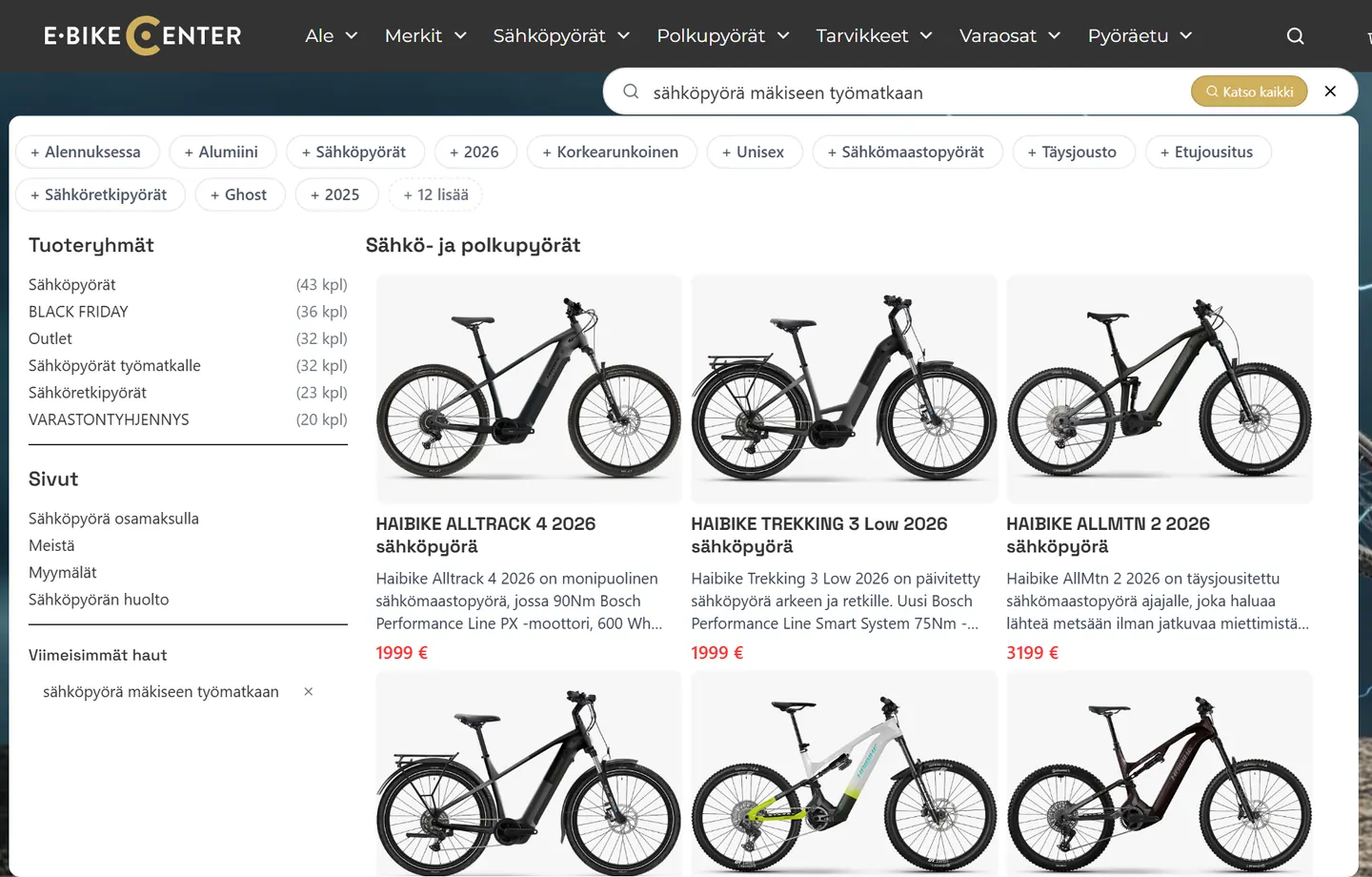
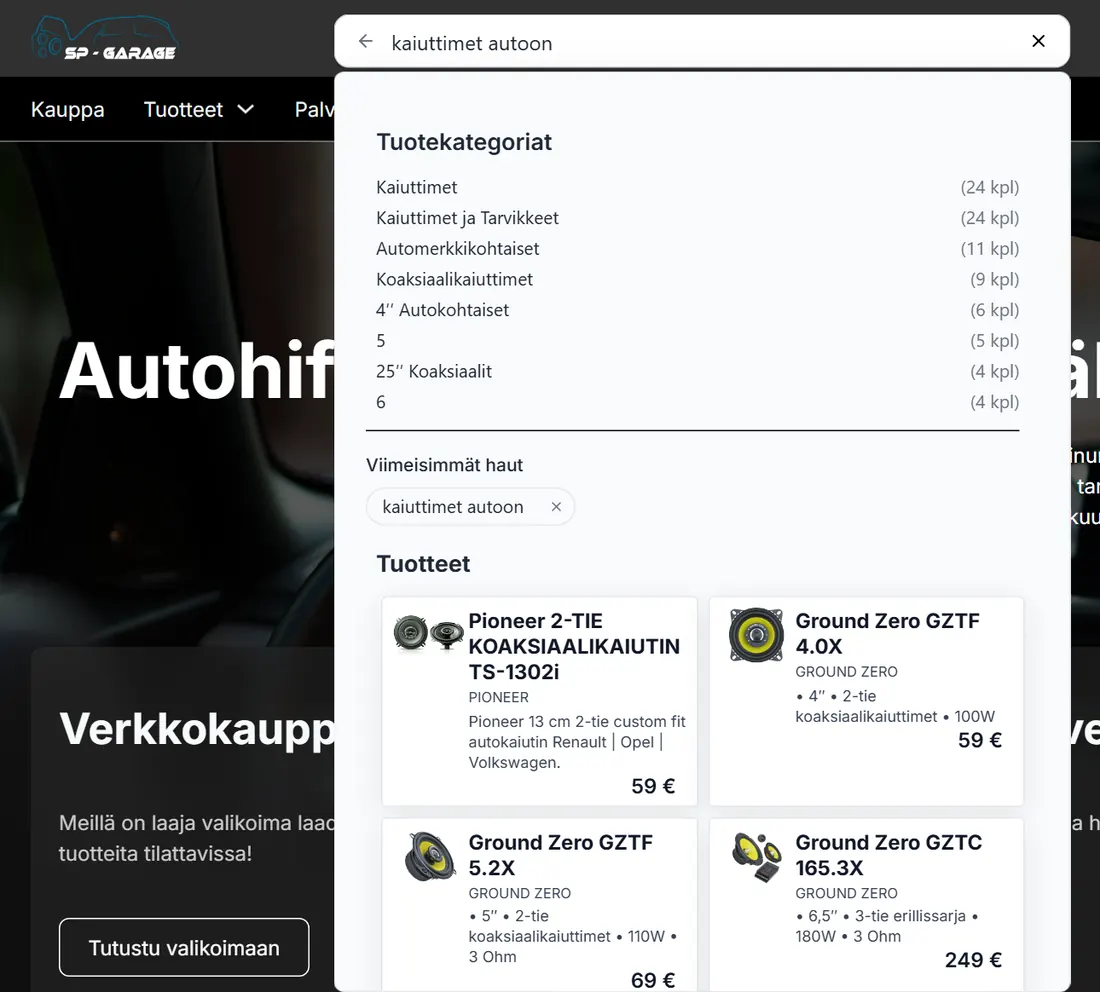
AI site search is a product of its own. It replaces your store’s search box and shows matching products, categories and pages right under the search. A customer can type “e-bike for a hilly commute” without knowing a single product name. AI site search is included from Starter.
Inline bot
It holds a conversation, answers in its own words and captures leads. You place it where visitors need help: on the homepage, a support page or above a product range.
Pro, Business and Scale
AI site search
It replaces your store’s search box and shows products, categories and pages right under the search, even when the customer does not know the product name.
Every plan, Starter included
Try it yourself
This inline bot answers questions about Revdot from Revdot’s own content. This live demo bot answers in Finnish; your bot answers in your language, from your site.

Try it: ask Revdot anything
How it works
Add one div element where the bot should appear. It fits a narrow column as well as a wide hero.
Add 3–5 ready-made suggestions that show before the visitor types anything. They steer people toward the questions you want to answer.
Starter questions
Questions the bot could not answer turn into a ready list of content gaps. You know what to write next.
Unanswered questions
Revdash
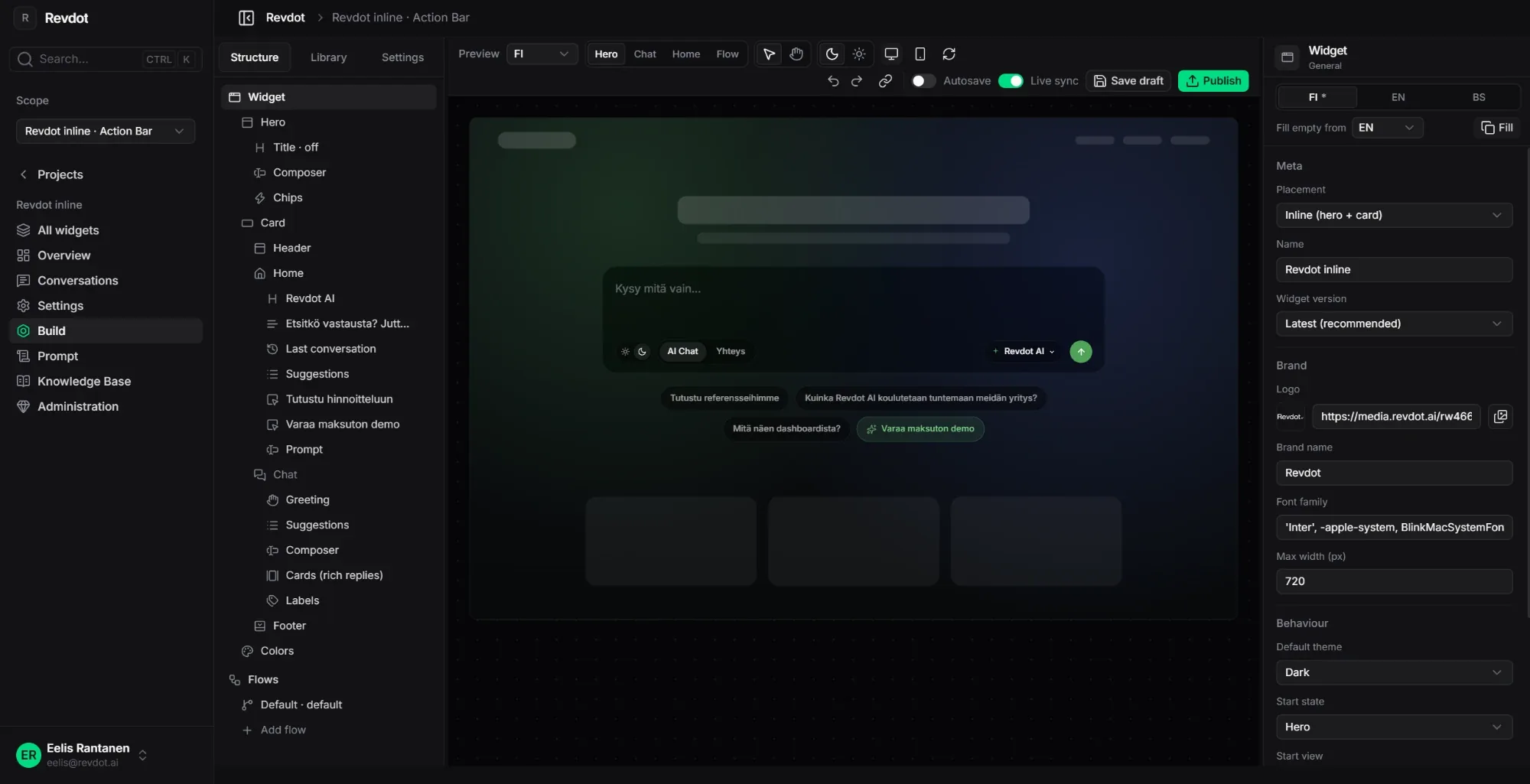
You build the inline bot in the same Revdash as the chatbot. Pick the theme, accent color, width and starter questions, test the draft and publish when you are ready.



Pricing
The inline bot needs no separate subscription: it comes with every plan from Pro up. Pick a plan by conversation volume, languages and integrations.
79 €/mo
1,000 conversations / mo756 €/year
For a service business that gets the same questions every day.
149 €/mo
2,000 conversations / mo1,428 €/year
For online stores and busy support teams.
from249 €/mo
4,000 conversations / mo
For several sites and integrations, with a named contact person.
The products share one quota, so turning it on does not raise your bill. Extra conversations 8 € per 100 on every plan. You can upgrade anytime and pay only the difference.
Build it yourself at the same monthly price, or we build it for 290 € (Business and Scale 490 €), 0 € on an annual plan. Prices are in euros, excluding VAT.
Full pricing and comparisonIt is included in Pro (79 €/mo), Business (149 €/mo) and Scale (from 249 €/mo), with no separate subscription. It is the same bot as the chatbot widget, placed at a specific spot on the page.
If visitors need advice and you want the lead, the inline bot. It is the same bot as the chatbot widget: it holds a conversation, answers in its own words and captures leads, but it lives inside the page instead of in the corner.
If your store’s search box has to find products from a query typed in the shopper’s own words, AI site search. It shows products, categories and pages under the search, and it is included from Starter (39 €/mo).
It can replace it or sit next to it. We suggest keeping regular search on product listings and putting the inline bot on the homepage and the support page. Before you decide, check your search log to see how many searches return zero results today.
Yes. The component adapts to the column width, and the answer opens inside the page, so the visitor stays on the same page the whole time.
It does not hurt it. The bot loads after the page has rendered and does not replace the page’s own content. The content gaps it reveals are a ready to-do list for whoever writes your content.
Yes. You set the colors, corner radius, font and starter questions in the dashboard. Brand removal, which takes the Revdot mark off the widget, is an add-on available on every plan.
Products
All products share one knowledge base, one conversation quota and one dashboard. Your plan decides which ones are on.
 All plansChatbotAnswers questions and asks for contact details.Waits in the corner of the page and answers at 10.40 pm too.Learn more
 All plansLead formTakes a quote request one question at a time.Ends with a price estimate, and the lead lands in your inbox.Learn more
 From BusinessShopping assistantRecommends 2–5 products and links to the product page.Also answers shipping questions, and the dashboard shows what customers ask.Learn more All plansAI site searchStore search that understands a question in the shopper’s own words.Shows matching products, categories and pages under the search.Learn more
Try it on your site
Enter your address and email. Revdash builds the bot from your site content, and the same knowledge base can power the inline bot later.
Revdash reads your site · knowledge base · bot in your inbox
Thanks. Your bot is on its way.
Revdash is building a bot from your site, and the link will be in your inbox in 10 minutes. If it does not show up, check your spam folder or email info@revdot.ai.
The Revdot team answers in person:WhatsAppBook a call+358 45 231 1420eelis@revdot.ai